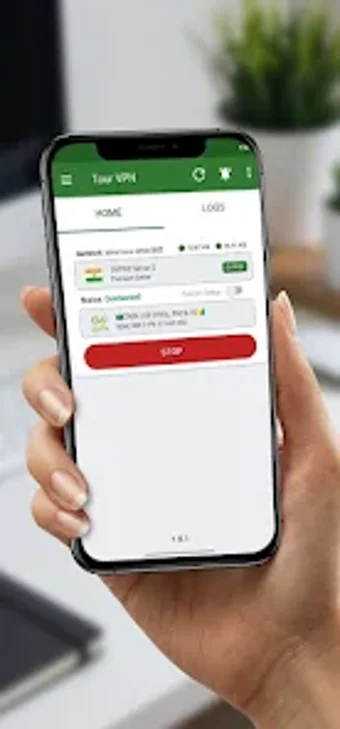
Tour VPN for Android: one-tap encrypted connections and fast access
Tour VPN routes Android traffic through encrypted, high-speed servers using a one-tap connection and automatic server selection, letting users bypass regional blocks and use public Wi-Fi safely. The app, from RONG SHILPO, appears in the utilities-tools category and targets non-expert mobile users who want immediate privacy without manual configuration. Key functions include secure tunneling, automatic server choice, and a lightweight design focused on connection stability, which suits travelers and casual browsers who need quick, private access.
What Tour VPN does for mobile privacy and access
Tour VPN establishes an encrypted tunnel for Android traffic, routing requests through remote servers to mask the device IP and reach restricted sites. The app offers a one-tap connect flow and automatic server selection, so the connection step is a single action. Supported behaviors listed by the developer include encrypted traffic, high-speed server routing, and unrestricted access to geographically blocked content.
How the app interacts with the device and resources
The app is described as lightweight and designed for stable browsing, which implies a small runtime footprint during use. It requires standard Android networking and VPN permissions to create the system VPN interface and route traffic. Because it opens a VPN interface at the OS level, all app traffic is routed through the tool while the session is active; the description highlights high-speed servers to preserve browsing and streaming performance.
Safety, data handling, and operational caveats
The developer states the app encrypts internet traffic, providing privacy on public networks. The Google Play declaration noted by the developer also says data collected by the app cannot be deleted by the user, which is an operational limitation to weigh when deciding what data to pass through the tunnel. The app’s zero-configuration design reduces setup risk for non-technical users but transfers control of server choice to the automatic selector.
Who should use this app and how to use it safely
The app suits Android users who want immediate, low-effort IP masking and access to blocked content, especially while traveling or on public Wi-Fi. As a practical tip, confirm the app’s active VPN permission in system settings before connecting and avoid routing highly sensitive transactions if you cannot remove collected app data later. Recommended for quick privacy needs on mobile, with the noted data-handling trade-off.